


Nano Banana YouTube Thumbnail Generator for Creators

Turn a permitted portrait or product photo and your video title into a polished 16:9 thumbnail. Nano Banana Pro balances the subject, scene, and readable headline, then lets you refine the text position with a focused follow-up edit.

551 / 2000
Example 1
Example 2
Example 3
Example 4

Example results — your generated image will appear here

How to Make a Nano Banana YouTube Thumbnail

Build the first version from a reference and title, then revise placement without rewriting the entire creative direction.

01

Upload Your Subject

Add a clear photo of the person or product you have permission to use. A sharp, well-lit reference helps preserve recognizable details.

02

Enter the Video Title

Keep the headline short, quote it exactly in the prompt, and name the intended side, safe area, type style, and contrast.

03

Generate in 16:9

Select Nano Banana Pro, choose the 16:9 aspect ratio, and generate a thumbnail with one clear subject and readable visual hierarchy.

04

Refine the Position

Use the generated image as the next edit input and request one precise change, such as moving the headline higher while preserving everything else.

Copy and Adapt

Nano Banana YouTube Thumbnail Prompt Examples

Start with a task-specific prompt, replace the bracketed details, and keep the exact title short enough to read on mobile.

1

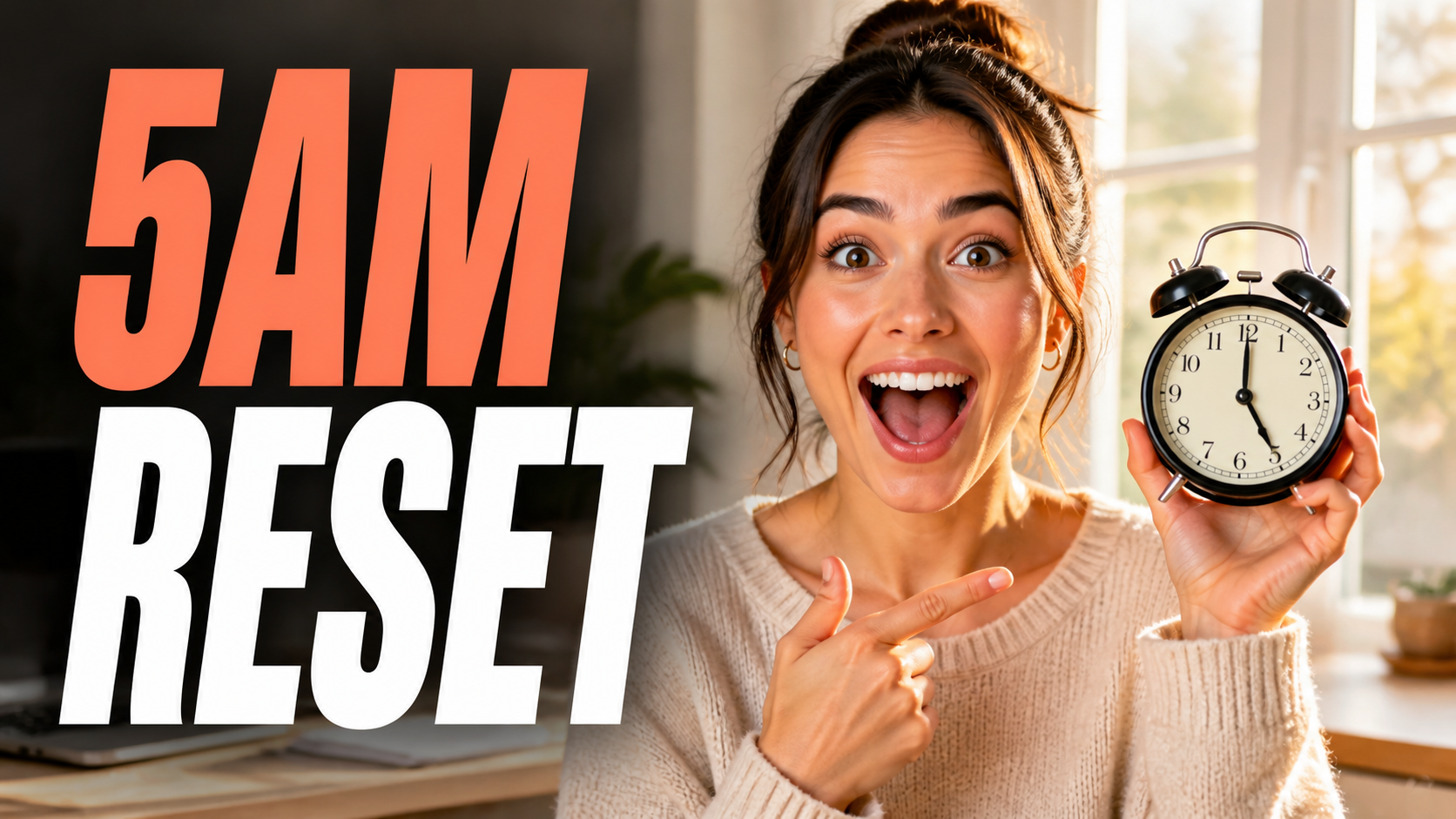
Creator Thumbnail

Create a polished 16:9 YouTube thumbnail using the uploaded creator photo as the identity reference. Preserve the face, hairstyle, skin tone, and expression. Place the creator on the [left/right] third with clean edge separation. Render '[SHORT VIDEO TITLE]' exactly once in a large bold sans-serif on the opposite side, inside the safe area. Use high contrast and no extra text, logo, or watermark.

2

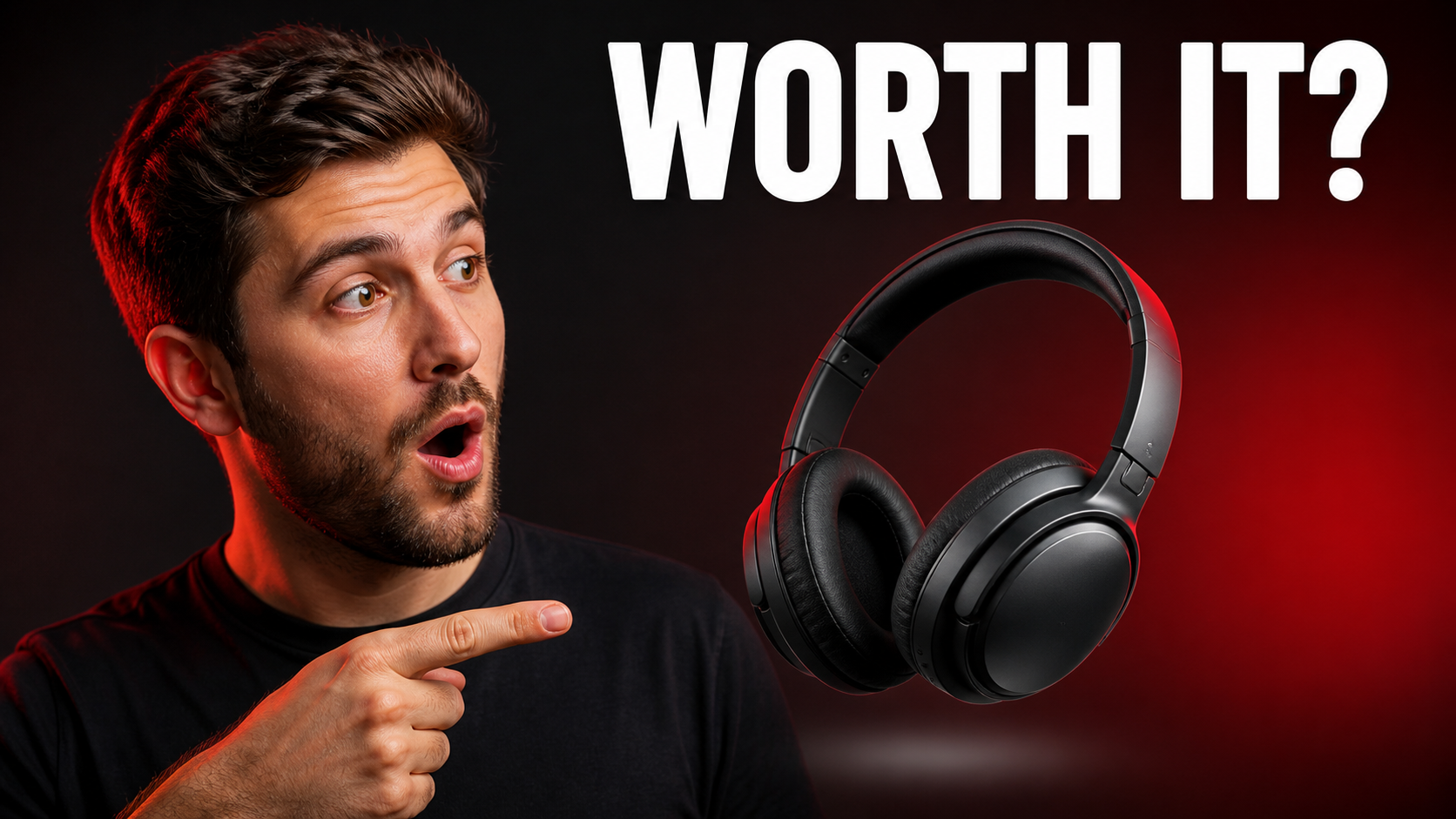
Product Review

Create a premium 16:9 YouTube product-review thumbnail from the uploaded product image. Preserve the product's shape, color, materials, and identifying details without inventing a logo. Place the product on the [left/right] and render '[SHORT VERDICT]' exactly once in very large high-contrast type on the opposite side. Keep the composition uncluttered, with no extra words or watermark.

3

Move the Headline

Edit only the headline placement in this thumbnail. Move '[EXACT HEADLINE]' to the [upper-left/upper-right/lower-left/lower-right] safe area and keep generous padding from every edge. Preserve the subject, background, crop, colors, lighting, wording, typography, and all other details exactly. Do not add or remove any text.

4

Improve Readability

Edit only the readability of '[EXACT HEADLINE]'. Keep the wording and position unchanged. Increase the type size, simplify it to a bold sans-serif, and add restrained contrast behind the letters so the title is clear at small thumbnail size. Preserve the subject, scene, crop, lighting, and colors. Add no extra text, logo, or watermark.

Controls That Keep the Thumbnail Clear

Give Nano Banana explicit constraints for the parts viewers need to understand in a split second.

Readable Headline Text

Quote the title exactly, limit it to a few words, and specify large type, strong contrast, and no extra copy to reduce visual noise.

Second-Pass Position Edits

Upload the first result and ask to move only the headline while locking the subject, crop, colors, wording, and typography.

Native 16:9 Composition

Choose a widescreen ratio from the start and keep faces, products, and titles inside practical safe areas away from the edges.

Reference-Aware Subjects

Use permitted creator or product images and tell the model which identity, color, material, and silhouette details must remain unchanged.

One Clear Focal Point

Direct attention with a single expressive subject, controlled background detail, crisp edges, and an intentional left-right hierarchy.

Prompt-Based Iteration

Revise one variable at a time—placement, type size, contrast, crop, or background—to keep follow-up edits predictable.

Thumbnail Formats for Different Video Topics

Adapt the same reference-plus-title workflow to common creator and business content without falling back to a generic template.

Creator and Tutorial Videos

Pair a recognizable expression with a short promise, challenge, or outcome and leave enough space for the face to read clearly.

Product Reviews

Preserve the product silhouette and materials, then separate it from a clean studio scene with a concise verdict headline.

Travel and Gaming Stories

Combine a strong environmental moment with one focused subject and keep the title away from important scene details.

Nano Banana YouTube Thumbnail Generator FAQ

Answers about uploads, titles, 16:9 output, text readability, and follow-up placement edits.

1

How do I create a YouTube thumbnail with Nano Banana?

Upload a permitted photo of your creator or product, enter a prompt with the exact short video title, choose 16:9, and generate with Nano Banana Pro. State the subject side, headline side, safe margins, type style, and unwanted elements.

2

Can Nano Banana Pro generate readable thumbnail text?

It can render short headline text, but every result should be reviewed. Quote the wording exactly, use only a few words, request large high-contrast type, and reject extra copy. Regenerate or refine any misspelling before publishing.

3

How can I move the text after generating a thumbnail?

Use the first result as the next edit input. Ask to move only the exact headline to a named safe area while preserving the wording, typography, subject, background, crop, colors, and lighting. The placement prompt above is ready to copy.

4

Can I upload a person or a product photo?

Yes. Upload images you own or have permission to use. For people, specify the facial and identity details to preserve. For products, lock the shape, color, materials, proportions, and genuine identifying details.

5

What size should a YouTube thumbnail be?

Generate in a 16:9 landscape ratio. Before publishing, export according to YouTube's current thumbnail requirements and check that important faces, products, and words remain visible at small feed size.

6

Why is Nano Banana Pro the default model?

This page starts with Nano Banana Pro because the task combines reference-image fidelity, composition, and short text rendering. The selector still exposes all general image models so you can compare available options.

Create Your Nano Banana YouTube Thumbnail

Upload a permitted subject, add a short title, and generate a 16:9 concept you can refine with focused placement edits.