Upload a clear dog photo to create a close, camera-facing selfie that still looks like your pet. Add an optional owner photo for a shared shot, then describe the setting or selfie style. Nano Banana Pro uses both references while your prompt protects the dog's breed, coat, facial markings, and accessories.
472 / 2000
Example results — your generated image will appear here
Dog Selfie Ideas
Nano Banana Dog Selfie Examples
See how dog-only, dog-and-owner, outdoor, and multi-pet selfies can keep each subject recognizable while changing the scene and camera angle.
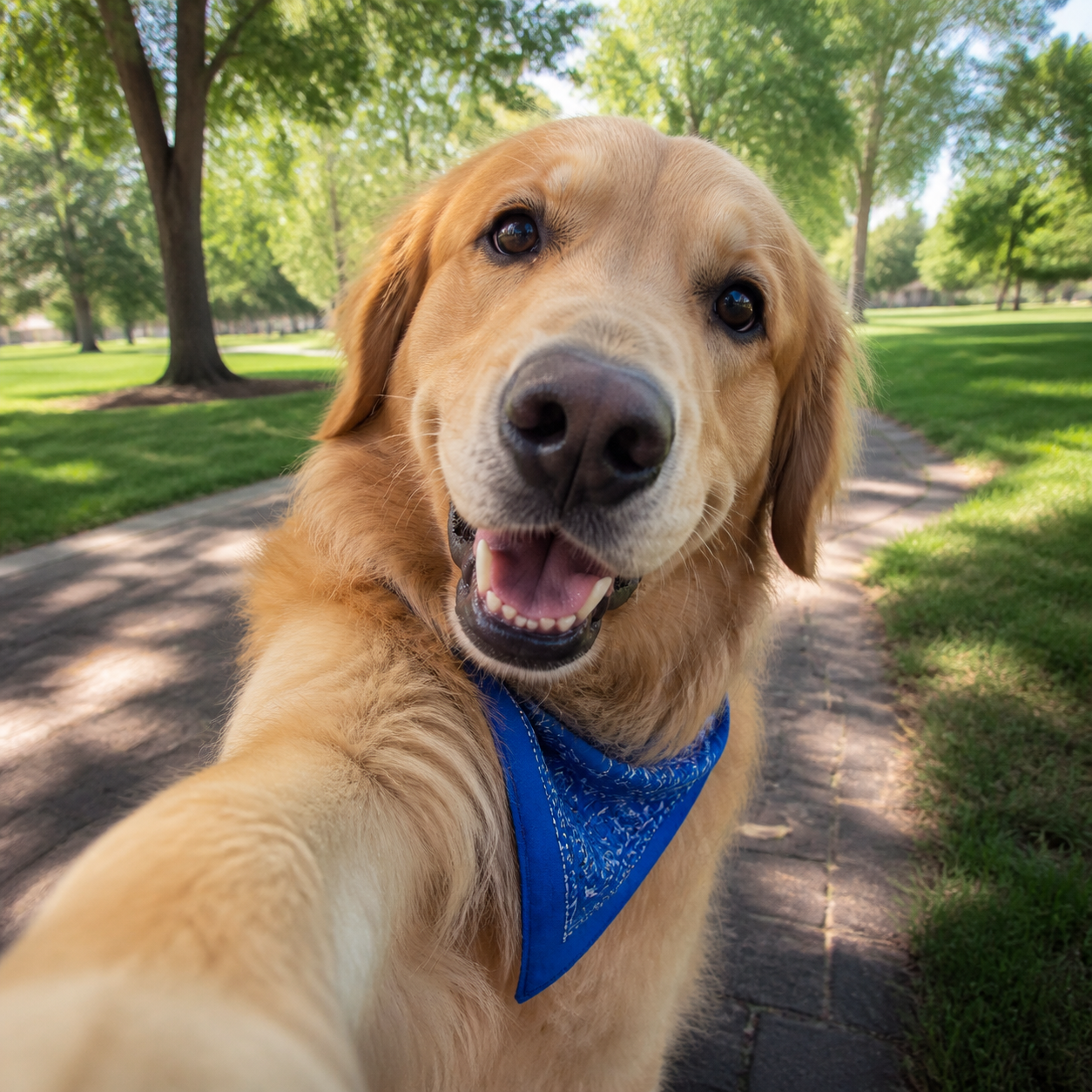
“Use the uploaded dog photo as the only identity reference. Create a playful close-up smartphone selfie in a sunny neighborhood park. Preserve the dog's exact golden coat, face shape, eye color, ears, muzzle, and blue bandana. Show one front paw reaching naturally toward the lower edge of the camera with mild wide-angle perspective. Exactly one dog, correct paws, no human hands, no text, and no watermark.”
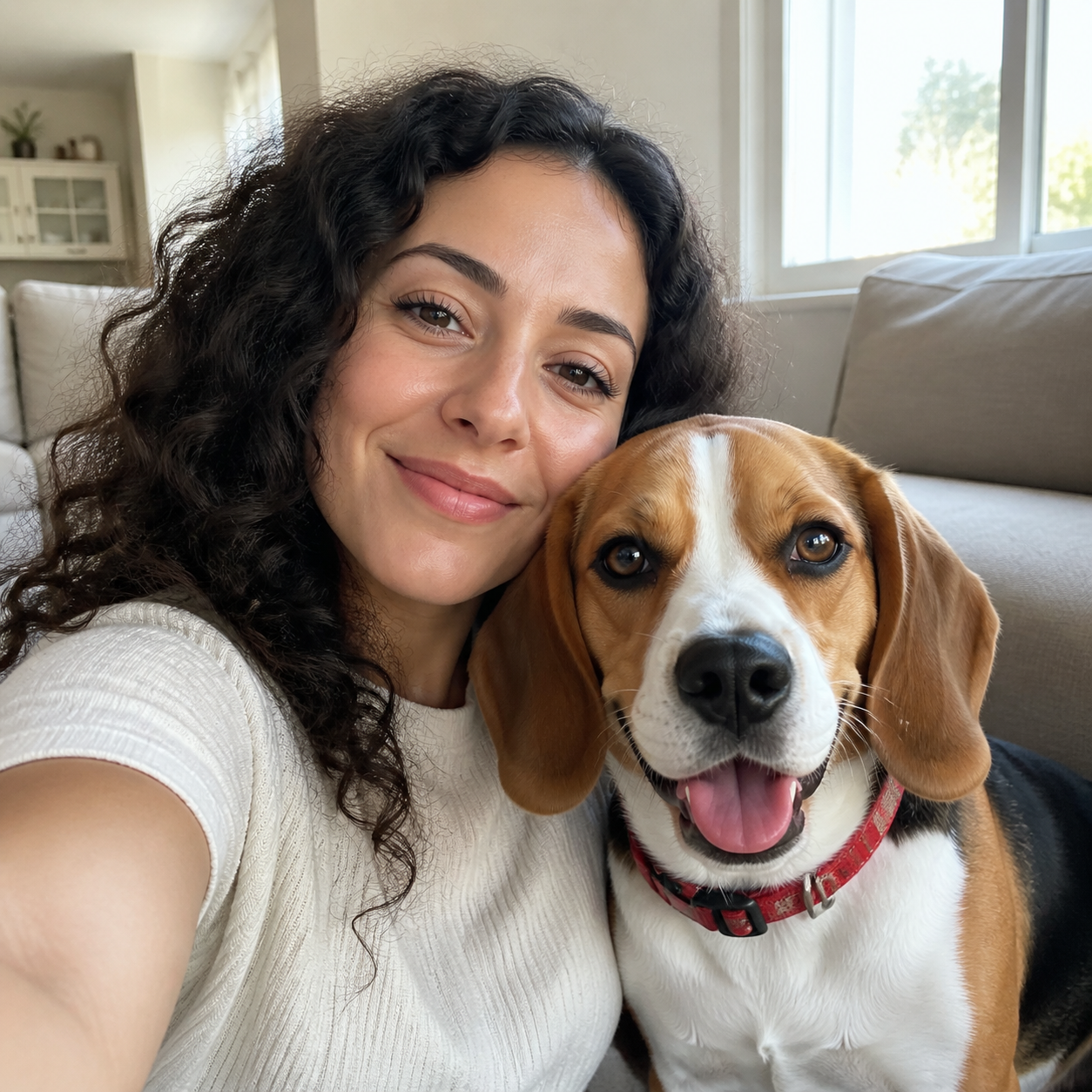
“Use Image 1 as the dog's identity reference and Image 2 as the owner's identity reference. Create a realistic close selfie together in a bright living room. Preserve the beagle's white blaze, tan-and-black markings, floppy ears, and red collar, and keep the owner's facial features distinct. Match scale, perspective, light, and eye direction. Exactly one adult and one dog, no face blending, correct limbs, no text, and no watermark.”
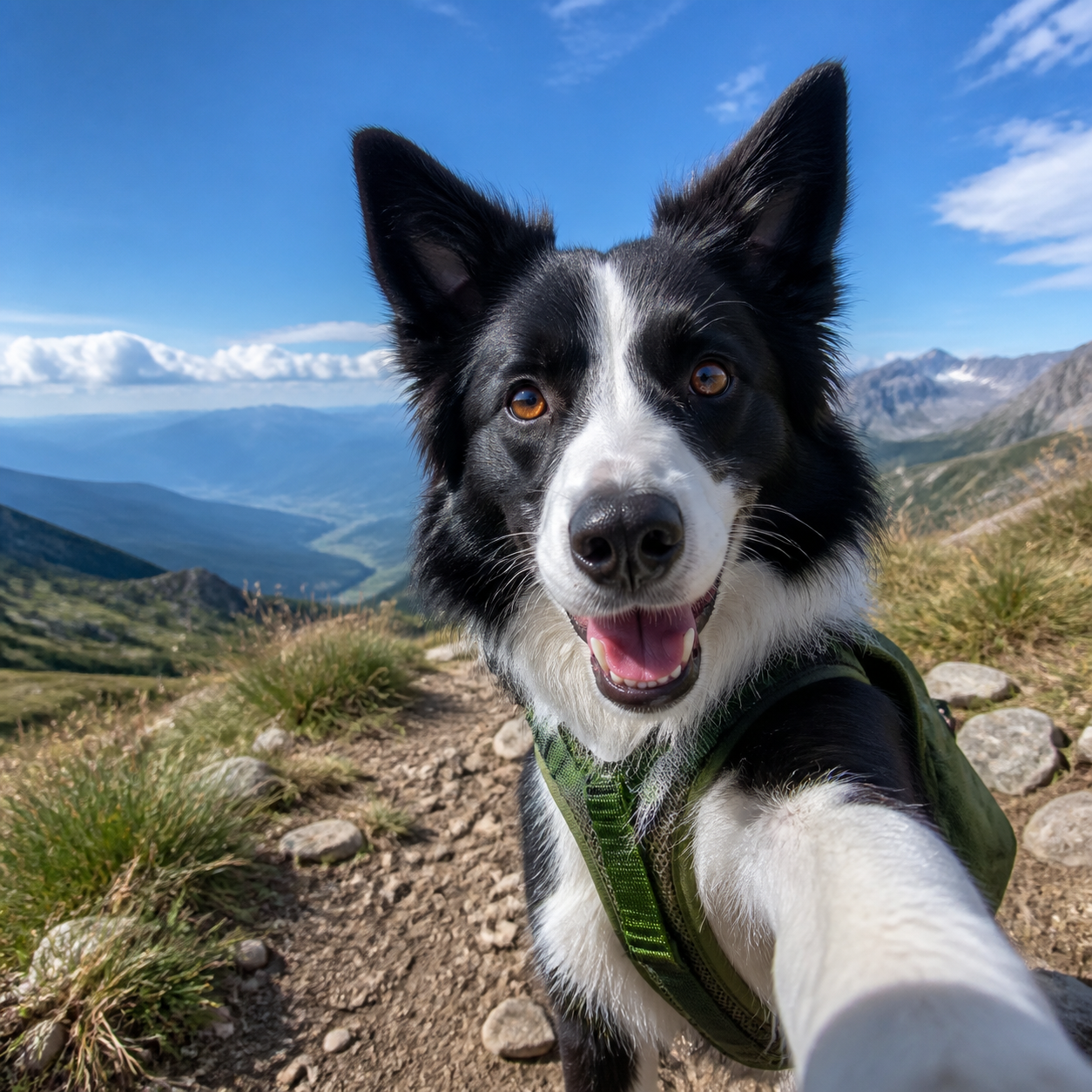
“Turn the uploaded border collie photo into an energetic action-camera selfie on an alpine trail. Preserve the black-and-white coat pattern, white facial stripe, eye color, alert ears, and green hiking harness. Keep the face close and sharp, the mountains visible, and one paw naturally foreshortened toward the lens. Exactly one dog, anatomically correct paws, no people, no text, and no watermark.”
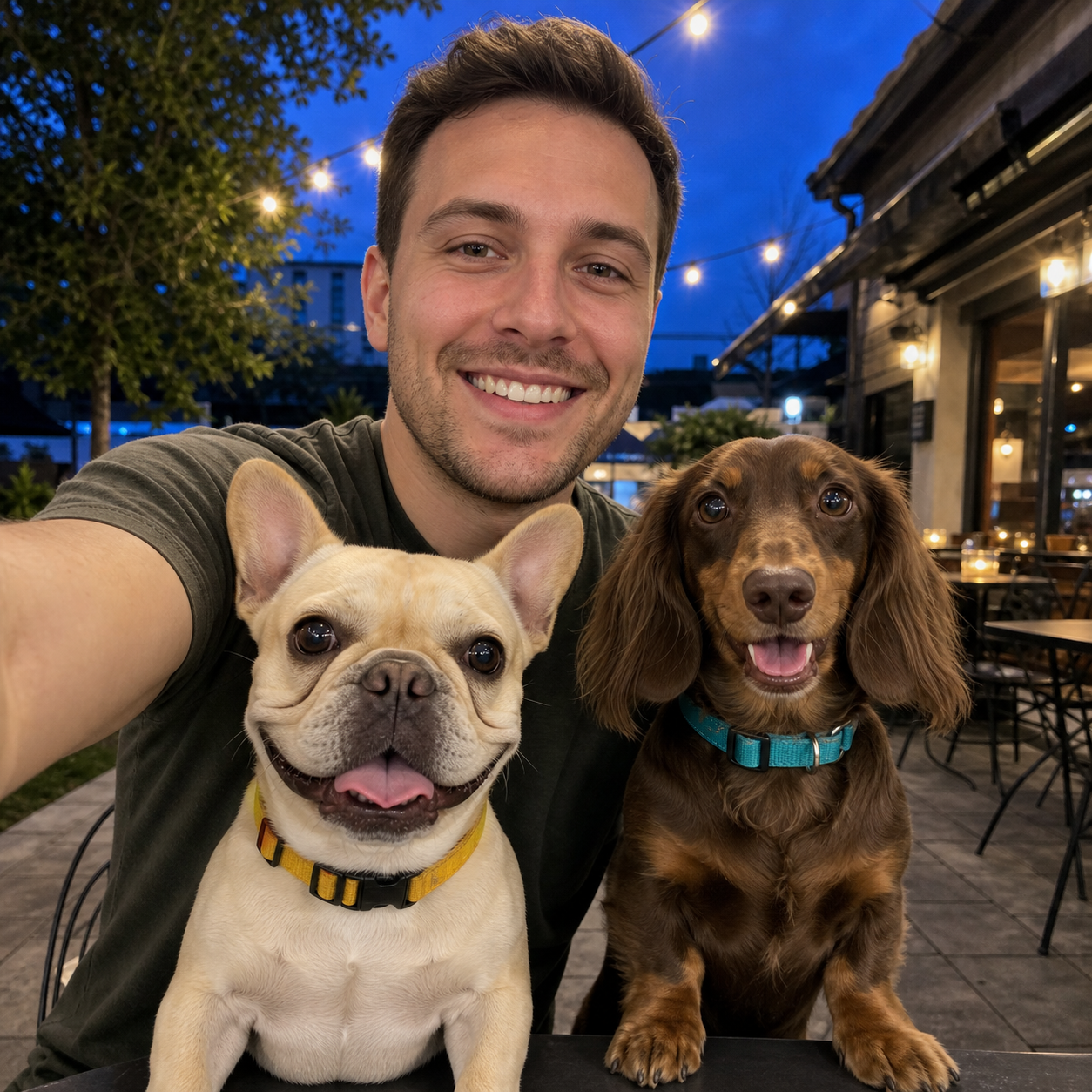
“Use Image 1 for the owner, Image 2 for the cream French bulldog, and Image 3 for the brown long-haired dachshund. Create one close evening café selfie. Preserve every face, breed, coat, collar, and body as a separate identity. Keep the yellow collar on the French bulldog and the teal collar on the dachshund. Match lighting and perspective. Exactly one adult and two dogs, no merged bodies, extra paws, text, or watermark.”
How to Make a Dog Selfie with Nano Banana
Give the generator a useful pet reference, choose whether the owner appears, and describe one clear camera setup.
01
Upload a Clear Dog Photo
Choose a well-lit image where the dog's face, coat pattern, ears, and accessories are easy to inspect.
A close or three-quarter view usually preserves identity better than a distant photo.
Keep collars, bandanas, and harnesses unobstructed if they must remain in the result.
02
Add an Owner Photo if Needed
For a shared selfie, upload one separate, permitted owner portrait and identify each reference in the prompt.
The general generator accepts multiple reference images for dog-and-owner scenes.
Ask for exactly one owner and one dog to reduce identity or limb confusion.
03
Describe the Selfie Angle
Set the location, mood, lens perspective, framing, and the relationship between the paw, arm, and camera.
Request a close, arm's-length wide-angle view rather than a generic pet portrait.
Check the muzzle, eyes, paws, hands, accessories, and subject count before downloading.
Built for Recognizable, Natural Dog Selfies
Precise reference and composition instructions help the output stay true to the pet instead of becoming a generic dog portrait.
Pet Identity Stays Specific
Name the breed, coat color, facial pattern, eye color, ear shape, muzzle, and accessories that must match the uploaded dog.
Selfie Geometry Looks Intentional
Ask for close wide-angle framing, believable foreshortening, and a natural paw-to-camera or owner-arm relationship.
Multiple Subjects Stay Separate
Assign every owner and pet to a different reference, require an exact subject count, and prohibit face, body, or accessory blending.
Copyable Prompt Templates
Nano Banana Prompt Dog Selfie Examples to Copy
Start with a task-specific prompt, then replace the breed, identity traits, accessory, scene, and lighting with details from your photos.
1
Dog-Only Close Selfie
Use the uploaded dog photo as the identity reference. Create a realistic close-up smartphone selfie in [location]. Preserve the exact breed, coat color, facial markings, eyes, ears, muzzle, and [collar or accessory]. Use mild wide-angle perspective with one front paw reaching naturally toward the lower camera edge. Keep the face sharp and the paw anatomically correct. Exactly one dog, no human hands, no extra limbs, no text, and no watermark.
2
Dog and Owner Selfie
Use Image 1 only for the dog's identity and Image 2 only for the owner's identity. Create a close shared selfie in [scene]. Preserve the dog's breed, coat pattern, face, and accessory, and preserve the owner's facial features and hairstyle. Match camera angle, scale, light, and eye direction. Exactly one owner and one dog, no identity blending, correct hands and paws, no text, and no watermark.
3
Dog Adventure Selfie
Turn the uploaded dog photo into an action-camera selfie on [trail, beach, or road trip]. Keep the dog's breed, coat markings, face, and [harness or bandana] unchanged. Frame the face close to the lens, retain a recognizable background, and show one paw with natural foreshortening. Exactly one dog, correct anatomy, realistic daylight, no text, and no watermark.
4
Owner with Two Dogs
Use Image 1 for the owner, Image 2 for Dog A, and Image 3 for Dog B. Create one close group selfie in [location]. Preserve each face, breed, coat, body, and accessory as a distinct identity. State the exact collar or harness for each dog, match scale and light, and keep all hands and paws separate. Exactly one adult and two dogs, no merged bodies, extra limbs, text, or watermark.
Nano Banana Dog Selfie Generator FAQ
Answers about dog references, owner uploads, identity preservation, selfie angles, and multi-pet scenes.
1
How do I make a Nano Banana dog selfie?
Upload a clear dog photo, choose Nano Banana Pro, and describe a close selfie scene. List the breed, coat, facial markings, eye color, ear shape, muzzle, and accessories that must remain unchanged, then specify the lens perspective and paw position.
2
Can I create a selfie of my dog and me?
Yes. Upload the dog as one reference and a permitted owner portrait as another. Assign each image to a separate identity, ask for exactly one owner and one dog, and require matched scale, perspective, lighting, eye direction, hands, and paws.
3
How can I keep my dog's markings and collar?
Use a sharp photo where those details are visible, then name the exact coat colors, face pattern, collar color, tags, bandana, or harness in the prompt. Ask the model not to replace, recolor, duplicate, or move those features.
4
What makes a dog image look like a selfie?
Use close arm's-length framing, mild wide-angle perspective, direct eye contact, and believable foreshortening. If a paw reaches toward the camera, specify which paw, where it enters the frame, and that it must remain anatomically canine.
5
How do I prevent extra paws or blended subjects?
Keep the scene simple, state the exact number of people and dogs, assign every subject to its own reference, and prohibit merged faces, bodies, limbs, and accessories. Regenerate with fewer subjects if the anatomy remains unclear.
6
Is this different from a general pet portrait generator?
Yes. This page is designed for close selfie composition, including lens perspective and the natural relationship between a paw or owner's arm and the camera. A general pet portrait does not necessarily use selfie geometry.
Create a Nano Banana Dog Selfie
Upload your dog's photo, add an optional owner reference, and turn a clear identity-preserving prompt into a playful close selfie.