Upload one clear full-body or three-quarter photo, then choose the saree fabric, color, drape, setting, and jewelry direction in your prompt. Nano Banana Pro creates a complete styled portrait while preserving your face, skin tone, body proportions, and natural pose.
602 / 2000
Example results — your generated image will appear here
Saree Style Ideas
Nano Banana Saree Looks Across Fabrics and Scenes
Explore four distinct directions—from handloom cotton to silk, organza, and retro chiffon—without reducing saree styling to one color, occasion, or aesthetic.
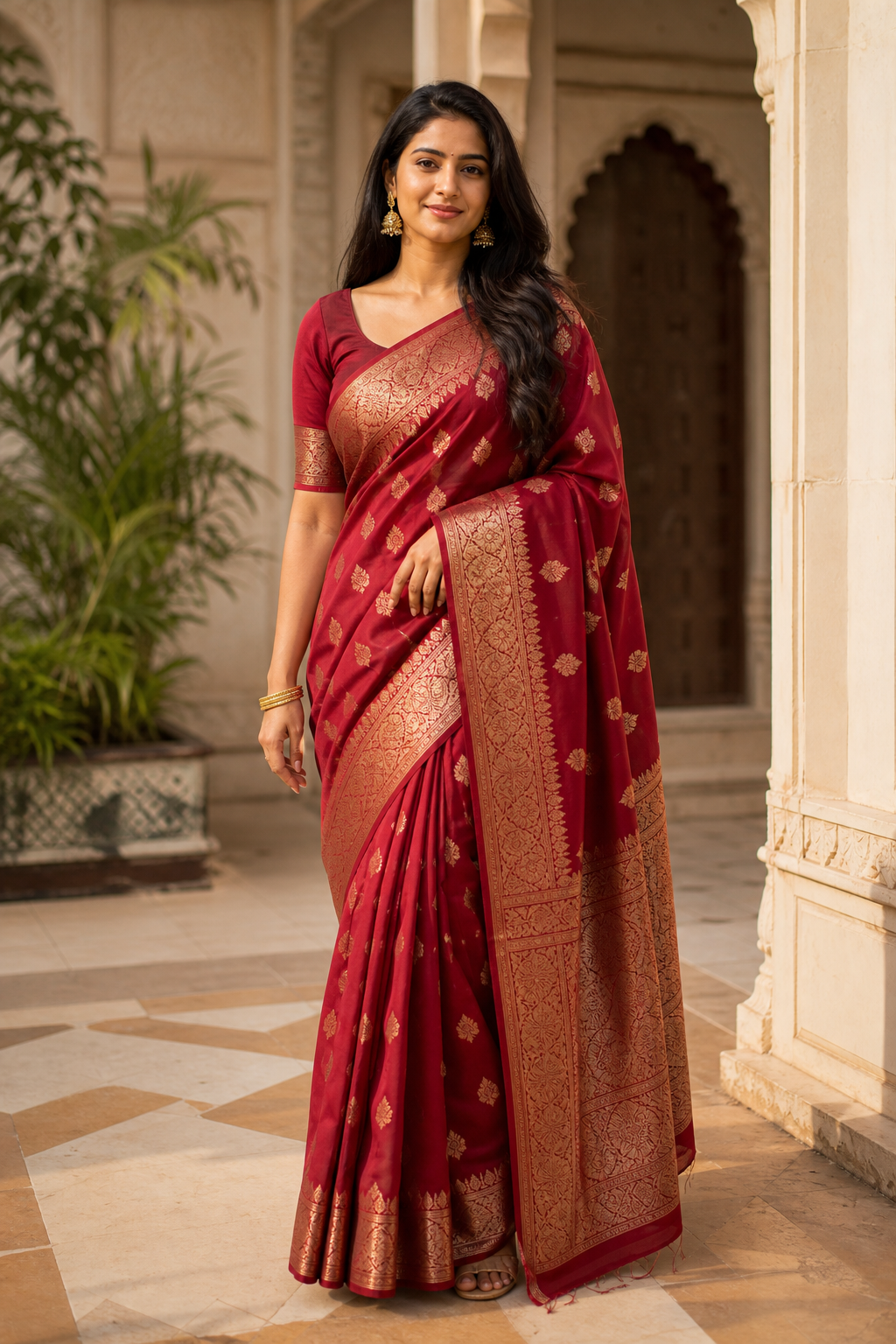
“Use the uploaded photo as the identity reference. Dress the person in a deep crimson Banarasi silk saree with an antique-gold zari border, structured pleats, and a naturally draped pallu in a heritage courtyard at late afternoon. Add understated gold earrings and bangles. Preserve the face, skin tone, body proportions, pose, and hairstyle. Keep hands, folds, occlusion, and jewelry anatomically and physically correct.”
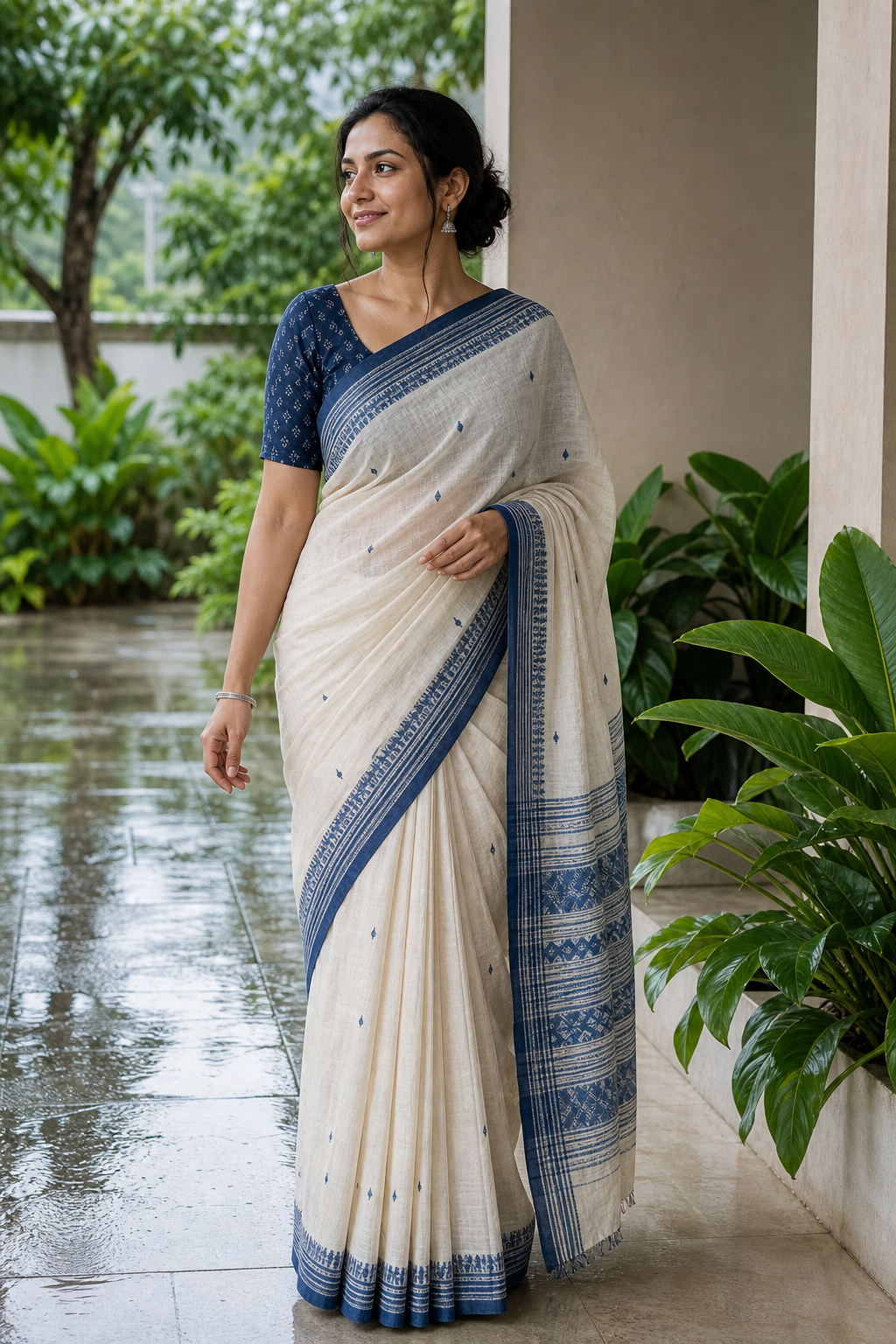
“Restyle the same person in an ivory-and-indigo handloom cotton saree with a woven regional border, practical pleats, and a relaxed shoulder drape. Use a leafy veranda after light rain with soft daylight. Add small silver earrings and one bangle. Preserve identity, skin tone, body structure, and pose; render the matte cotton weave and both hands accurately.”
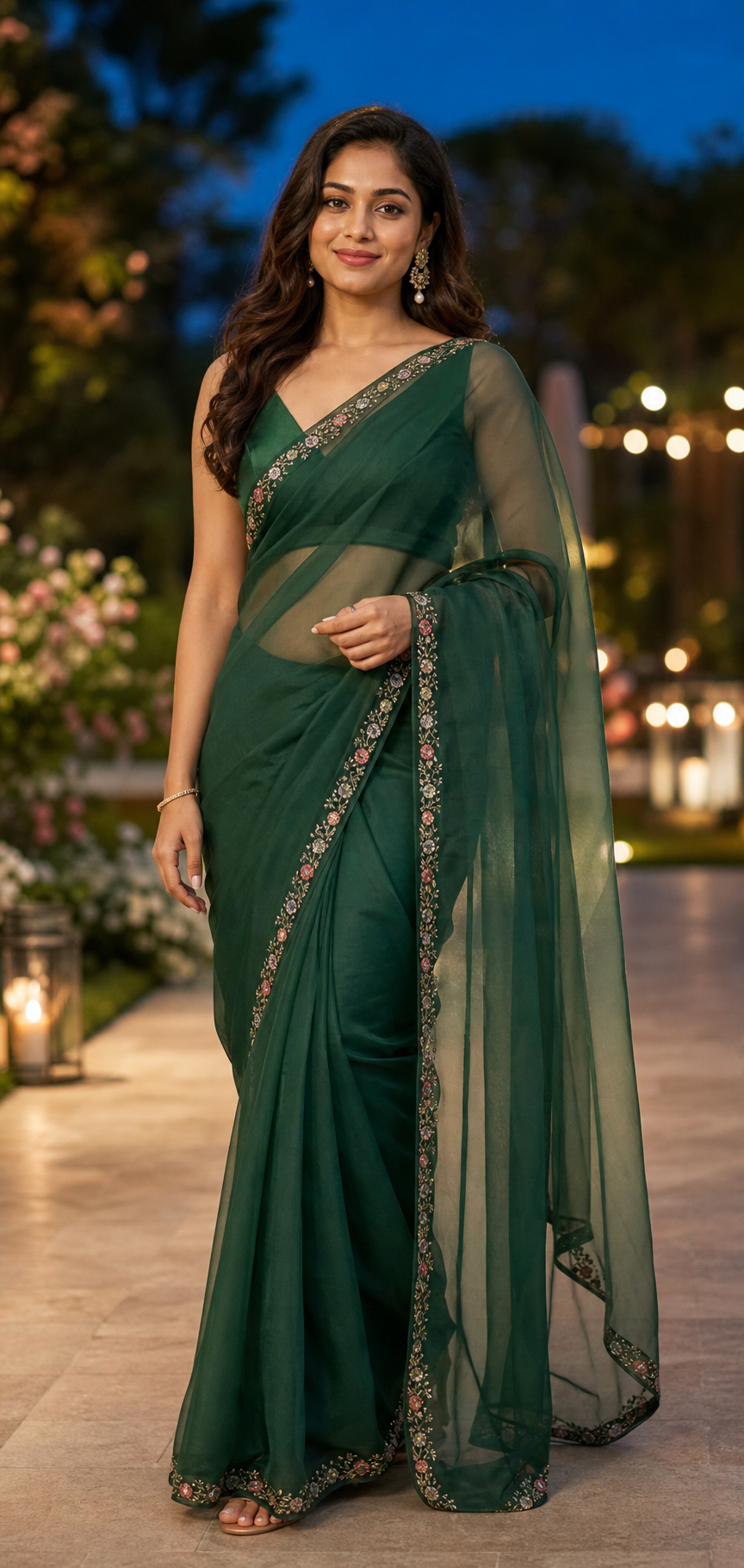
“Transform the outfit into an emerald organza saree with a narrow floral embroidered border and a sheer pallu layered correctly over a matching blouse. Set the portrait at a modern garden reception at blue hour. Use delicate pearl-and-gold earrings and a minimal bracelet. Preserve the exact face, skin tone, proportions, and pose; keep fabric transparency, hands, and jewelry precise.”
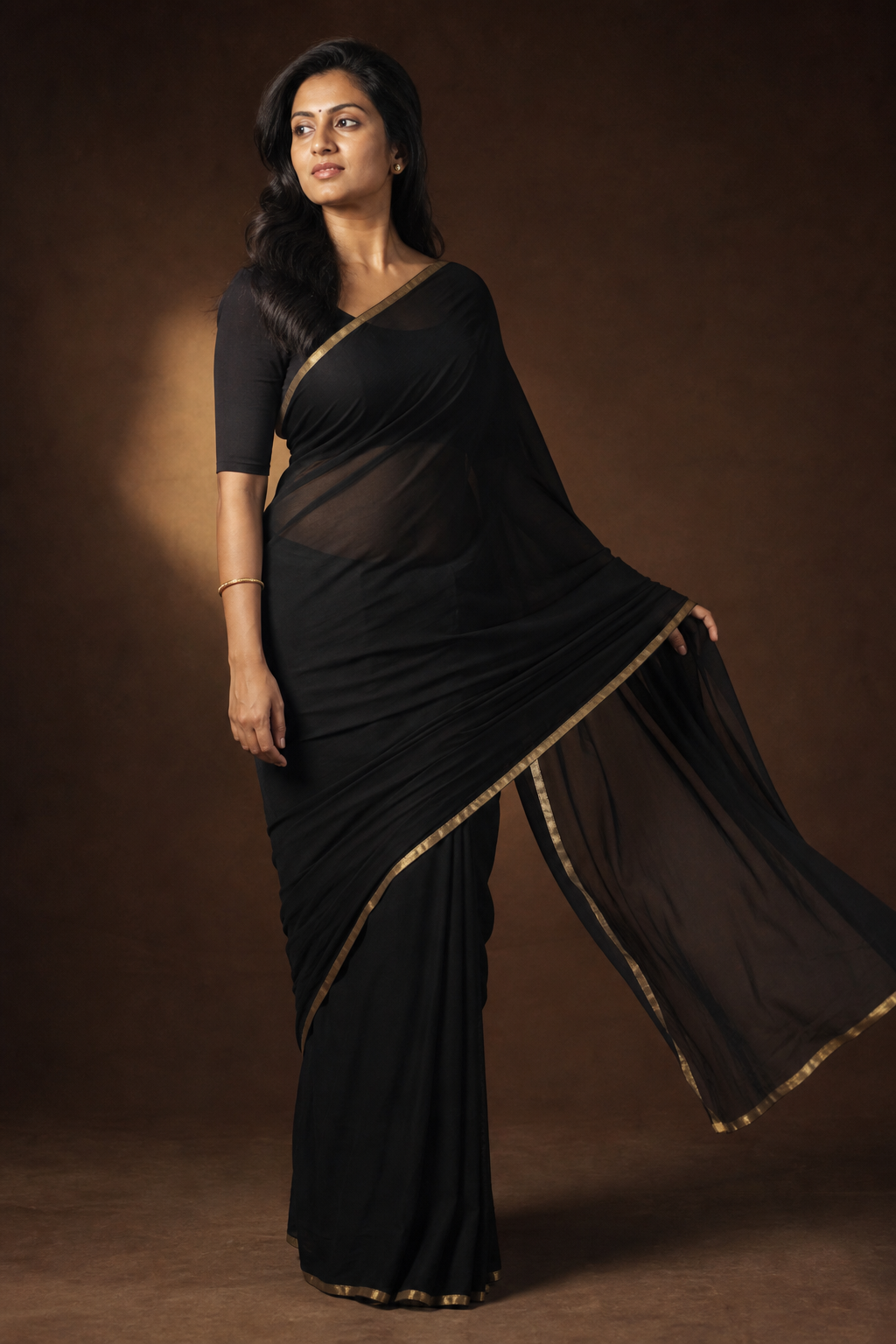
“Create a refined 1990s-inspired studio portrait of the same person in a black chiffon saree with a narrow muted-gold border and a physically plausible flowing pallu. Use a deep-brown backdrop, warm side light, and restrained film grain. Keep the face, skin tone, hairstyle, and body unchanged. Render both hands, translucent layers, pleats, and jewelry accurately without caricature.”
How to Create a Nano Banana Saree Photo
Use one useful reference, describe the styling choices that matter, and inspect the details before downloading.
01
Upload One Clear Person Photo
Choose a permitted full-body or three-quarter photo with the face, hands, torso, and body outline visible.
Even lighting and an unobstructed pose give the model better identity and anatomy cues.
Avoid cropped hands when hand placement and bangles matter in the final image.
02
Choose the Complete Saree Direction
Name the fabric, color, border, drape, scene, lighting, and whether jewelry should be minimal, festive, or omitted.
Describe a specific weave or material only when that detail belongs in your intended look.
Use the copyable presets below as starting points, then replace their styling variables.
03
Generate and Check the Result
Confirm that the face and proportions still match, then inspect pleats, hands, pallu overlap, blouse edges, and jewelry.
Refine one issue at a time, such as pallu placement or the number of bangles.
Download only after fabric layers, fingers, and occluded edges look physically coherent.
Saree Styling That Protects the Person and the Details
The strongest results treat identity, anatomy, fabric behavior, and cultural variety as separate requirements instead of a generic beauty filter.
Preserve Face, Skin Tone, and Body Structure
The uploaded person remains the identity anchor while the outfit and setting change. Explicit preservation instructions help prevent face drift, altered proportions, and genericized skin texture.
Lock the face, expression, hairstyle, and natural skin tone
Retain height, shoulder width, waist, and limb proportions
Use one person and one clearly described pose
Resolve Pleats, Hands, Occlusion, and Jewelry
A saree crosses the torso, waist, arms, and sometimes the hands. The prompt can require believable layer order, fabric weight, finger anatomy, and jewelry placement in those difficult overlaps.
Match drape behavior to cotton, silk, organza, or chiffon
Keep fingers separated and visible jewelry attached correctly
Prevent duplicated borders, bangles, folds, and body parts
Explore More Than One Saree Stereotype
Build the look from your chosen textile, drape, region-aware detail, occasion, and personal styling direction. The presets span understated daily wear, modern celebration, heritage silk, and retro editorial moods.
Choose restrained, festive, contemporary, or editorial styling
Treat jewelry as an adjustable preference, not a requirement
Avoid collapsing diverse saree traditions into one bridal look
Copyable Saree Presets
Nano Banana Saree Prompt Examples to Copy
Each template protects identity and anatomy while leaving the textile, color, setting, and jewelry choices easy to customize.
1
Nano Banana Red Saree Prompt
Use the uploaded photo as the only identity reference. Dress the same person in a deep red [silk or chiffon] saree with a [gold zari or plain] border, clean front pleats, and a naturally placed pallu. Set the scene in [courtyard, studio, or garden] with [lighting]. Add [minimal gold jewelry or no jewelry]. Preserve the exact face, skin tone, hairstyle, expression, body proportions, and pose. Keep both hands, fingers, fabric layers, and jewelry physically correct. Exactly one person, no text or watermark.
2
Handloom Cotton Daylight Look
Keep the uploaded person's identity, natural skin tone, body shape, and pose unchanged. Replace only the outfit with a handwoven cotton saree in [base color] with a [contrasting woven border], practical pleats, and a relaxed drape. Use soft daylight in [veranda, home, or outdoor setting]. Add small [silver or gold] earrings only. Show realistic matte weave, natural folds, correct hands, and no duplicated accessories.
3
Retro Chiffon Saree Portrait
Create a refined 1990s-inspired editorial portrait from the uploaded photo. Preserve the same face, skin tone, hair, expression, body proportions, and pose. Dress the person in a [black, burgundy, or pastel] chiffon saree with a narrow border and a lightly moving but physically plausible pallu. Use a simple studio backdrop, warm side light, and restrained film grain. Keep hands and translucent fabric overlaps accurate; avoid caricature, extra limbs, text, and watermark.
4
Modern Organza Celebration
Use the uploaded person as the sole identity reference. Style them in a [color] organza saree with a subtle embroidered border, crisp pleats, and a sheer pallu layered correctly over a matching blouse. Place them at a modern [garden reception or gallery event]. Add [pearl earrings and one bracelet, or no jewelry]. Preserve the face, skin tone, expression, body proportions, and pose. Render transparency, hands, edges, and occlusion accurately.
5
Heritage Silk Courtyard Look
Dress the person in a [Banarasi, Kanjeevaram, or chosen] silk saree with a [specific color] body and a restrained [zari or woven] border. Use an elegant heritage courtyard with natural late-afternoon light. Preserve the uploaded person's exact identity, skin tone, height, build, hands, and pose. Make the silk weight, pleats, pallu, blouse edges, and jewelry believable. Keep the styling respectful and specific rather than mixing unrelated regional details.
6
Minimal Jewelry Editorial
Transform only the outfit and scene in the uploaded photo. Use a solid [color] saree in [linen, cotton, or crepe] with a clean contemporary drape, a simple blouse, small stud earrings, and no necklace or stacked bangles. Place the person against a calm architectural backdrop with soft directional light. Preserve their exact face, skin tone, hair, expression, body proportions, and pose. Keep hands, folds, and all overlaps natural; exactly one person, no text or watermark.
A Single-Photo Saree Styling Workflow
This page is designed for creative saree restyling from one person photo, with prompt presets that expose the important visual choices.
One Person Photo, Not a Product Pair
Unlike virtual try-on that combines a person image with a separate garment product photo, this workflow starts with one person and a described saree direction.
Presets Stay Fully Editable
Change fabric, color, border, drape, scene, lighting, and jewelry without being locked into a single viral red-saree template.
Quality Checks Are Built Into the Prompt
Identity, anatomy, hand placement, fabric overlap, and duplicated jewelry are named directly so you can review the result against clear criteria.
Nano Banana Saree Generator FAQ
Answers about source photos, prompts, fabrics, identity preservation, anatomy, jewelry, and the difference from virtual try-on.
1
How do I make a Nano Banana saree photo?
Upload one clear full-body or three-quarter photo, choose Nano Banana Pro, and describe the saree fabric, color, border, drape, scene, and jewelry preference. Ask the model to preserve your exact face, skin tone, hairstyle, expression, body proportions, and pose.
2
What should a Nano Banana saree prompt include?
Include the identity invariants first, then the textile or weave, color, border, drape, blouse, scene, light, and accessories. Finish with constraints for correct hands, layer order, subject count, and no duplicated jewelry or body parts.
3
Can I use a single selfie instead of a full-body photo?
You can, but the model must infer every cropped body detail and much of the drape. A three-quarter or full-body photo with visible hands provides better evidence for proportions, pose, pleats, and jewelry placement.
4
How can I keep my face and skin tone unchanged?
Use a sharp, evenly lit photo and identify it as the only face and body reference. Explicitly preserve facial structure, expression, hairstyle, natural skin tone, and body proportions, and request changes only to the outfit, accessories, and setting.
5
How do I avoid distorted hands, folds, or jewelry?
Keep both hands visible in the source when possible, use a simple pose, and state how the pallu and jewelry interact with each arm. Ask for separated fingers, correct fabric layer order, and no extra folds, borders, bangles, fingers, or limbs.
6
Does the generator support more than the red saree trend?
Yes. Red retro portraits are one popular search trend, but the presets also cover cotton, silk, organza, chiffon, understated jewelry, contemporary events, everyday daylight, heritage settings, and other user-defined directions.
7
How is this different from Nano Banana Virtual Try-On?
This page uses one person photo plus a described or preset saree style. Virtual Try-On is designed to combine a person photo with separate images of exact clothing or accessory products. Use that tool when matching a specific photographed item matters.
Create Your Nano Banana Saree Look
Upload one photo, choose a thoughtful saree direction, and generate a complete portrait with identity and fabric detail intact.